article
- Atomicity: each note contains only one idea, a single, complete thought. This atomic unit (the Zettel, ’note’ or ‘slip’) becomes the building block of your entire system. Luhmann never mentioned atomicity because he didn’t need to. Using A6-sized paper slips, this point is obvious: one note equals one thought, simply because you can’t fit many thoughts on a single paper slip.
- Interconnection: the Zettelkasten creates knowledge through reference links that form a web or graph structure, where ideas reference and strengthen each other. Luhmann did this, whereas many others didn’t. And crucially,
- Non-hierarchy: the system prioritizes organic association over rigid folder structures.
- Low Alignment tools, I’m sad to say, actively work against the grain of the Zettelkasten approach. Microsoft Word, Google Docs, and Scrivener are all designed for linear output: documents, manuscripts, and projects with clear hierarchies. These tools rely on a 1990s paradigm. They expect that your output will be printed pages, probably from a printer in the corner of your office or beside your desk. That’s fine if you just want linear output and nothing else. But using them for networked thinking requires constant workarounds that the software doesn’t properly support, or even works against. If you’re already a super-user of one of these tools you might be drawn to creating a Zettelkasten with what you already know. I mean, I’m sure you could do it with Excel (!?*#!). But you’ll probably end up feeling like the Zettelkasten approach is unwieldy. The tool itself, with very limited alignment to the Zettelkasten approach, will have caused that feeling. With a better-aligned tool you may feel quite differently.
- Moderate Alignment tools are an improvement. They can accommodate Zettelkasten principles, but using them this way demands discipline. Evernote and OneNote are notebook-centric, which makes linking secondary and atomicity difficult. These tools, in effect, copy the filing cabinet, a marvellous invention which was devised towards the end of the 19th century. The idea is that perfect storage and retrieval just means putting everything in the right file. I’ve tried this. I ended up with a pile of folders that looked organized but were actually quite chaotic. Notion deserves special mention here: despite its flexibility with blocks and databases, its default mode encourages large wiki-style pages that resist the simplicity of atomic notes. You can build a Zettelkasten in Notion or similar, though you’ll still be swimming upstream.
- High Alignment tools, finally, embrace the networked Zettelkasten model. TiddlyWiki stands out with its unique single-file architecture where every note is a “Tiddler”. This provides strong, very deliberate atomicity. Its internal linking and tagging make it inherently web-like and Zettelkasten-ready, despite storing everything in one file. It’s also very durable; As long as a web browser exists to read the file, it will last forever. Obsidian, Roam Research, and Logseq are explicitly network-centric, built on bidirectional linking and designed to make the Zettelkasten method their natural use case. Tools like The Archive and Zettlr are interesting because they start from the basis of a simple plain text editor then add a few important features that make working with a Zettelkasten easy. They have even more chance of enduring over years and even decades.
- Create a folder on your computer.
- Each note becomes a single text file with a unique identifier in the filename, typically a timestamp like 202410271430.md or 202410271430.txt. Alternatively you can use simple running numbers (just start at number 1 and keep going), or ‘Folgezettel’ (where you continue idea 1 on note 1a, for example).
- Write one idea per file.
- Link to other notes by referencing their identifiers within the text, either as simple references (see note 202410251200) or as Markdown links ([[202410251200]]).
-
To be fair, this app does a whole lot more than just notes. It sorts out posting to multiple blogs, for example. The point is, it looks really good. ↩︎
-
I know what you’re thinking: a group of three, ’tricolon’, is an AI writing tell. But I did this myself, with my own brain and without apology. ↩︎
-
Though you can instead set it up as individual files using node.js. ↩︎
- Enhanced markdown apps you can use for free to make effective notes.
- So many note-taking apps in the app graveyard - but not all are zombies.
- A minimal approach to writing notes.
-
Just now I discovered Marked3 will verify your hyperlinks for you and can even do so automatically. ↩︎
-
Content: The generated file outputs the
.RawContentof the post with Hugo shortcodes evaluated or cleaned. -
Headers & Metadata: Plain-text header metadata at the top linking to the canonical source:
# Post Title Date: YYYY-MM-DD Canonical URL: https://example.com/post-slug/ [Original Markdown body content] -
MIME Type: Static file delivery or edge routing must return
Content-Type: text/markdown; charset=utf-8. -
The primary HTML page remains the primary canonical URL (
<link rel="canonical" href="...">). -
The
.mdfile explicitly references the HTML permalink as its canonical URL. -
Server responses for Content Negotiation include
Vary: Acceptheaders to keep CDN/edge caches clear. -
Option A: Proof-of-Concept Plugin
A packaged Micro.blog plugin supplying custom Hugo output definitions (
config.json), a custom rendering layout (layouts/_default/single.md), and a<head>partial injection (layouts/partials/head.html). -
Option B: Native Platform Integration
A built-in toggle in Design Settings (“Enable Markdown endpoints for posts”). Bonus: Server/edge support for HTTP Content Negotiation (responding with Markdown directly when a request carries an
Accept: text/markdownheader). -
Distraction-Free Reading: Provides clean text endpoints without JavaScript or styling overhead.
-
Agent & Reader Readiness: Complies with emerging web standards (
isitagentready.com/md.geekity.com). -
Low Overhead: Leverages existing Hugo output formats with minimal impact on build times.
-
unless you’re actually a bot, scraping my voice to make scam adverts to send to my friends and family – in which case, my respect will be commensurately diminished. ↩︎
- Improve your notes and your life with two-word phrases.
- Does the Zettelkasten have a top and a bottom?
- Even the index is just another note.
- Top level categories in my notes.
- When it comes to writing notes, how much mess is just enough?
The Destiny of Your Notes Depends on Their Data Model
It feels a little overwhelming to observe the sheer number of note-making apps that promise to “revolutionize your thinking” or something similarly impressive.
I came across a website called the Markdown Handbook, which lists about forty markdown editors and that’s just the tip of the iceberg.
If you’ve felt it’s too much, you’re not alone. Most of these tools offer endless variations of the same features, minor tweaks disguised as major innovations. We have an abundance of options, yet precious little genuine progress.
And with AI ‘vibe-coding’ the field is expanding beyond all comprehension. Everyone can build their own writing app now and some of them look pretty good too. Joan Westenberg’s app Kerouac is just one example of how good the results can be.1
Recently I read Matt Brown’s essay “Your Data Model is Your Destiny,” which explores how software companies are shaped by their fundamental data structures. Now he’s an ‘early-stage investor’, writing for a tech start-up audience, but I got it into my head that his principle very much applies to note-making too. Even for something as simple as making notes, the underlying data model, the way your knowledge is stored and connected, determines a tool’s power and longevity.
So even though it’s a little hidden, the data structure of a note-making app matters far more than do flashy features or elegant interfaces. But the data structure is often hard to explain, and so the creators of these apps tend not to explain it.
Understand the Zettelkasten Data Model
The Zettelkasten approach to making notes, developed (though not invented) by the remarkably productive German sociologist Niklas Luhmann (Wikipedia), represents a very specific data model for thought. This model doesn’t depend on any particular implementation. We’re talking here about what could be achieved using only a pen and a box of paper slips – and how that might be translated into the digital era.
At its core are three simple principles:
This model of making notes creates what I’ve experienced as a compounding advantage. Every new note you add strengthens your entire network by adding potential connections. Like compound interest in investing, each contribution multiplies the value of everything that came before. Your twentieth note might connect to three previous ones; your two-hundredth note might illuminate patterns across dozens. As it grows, the system gets smarter. But because you’re doing this linking yourself, not handing it off to AI or your personal assistant, there’s a limit to how many links you can make. So you have to be selective and this very selectivity ensures the links you make actually mean something. They’re significant to you, and because of that they may be significant to others too.
Work With the Grain, Not Against It
If you want to build a Zettelkasten, or indeed any other kind of note-making system, you’ll do best by choosing software that works with the grain of this data model, not against it. Fighting your tool’s natural tendencies is confusing, exhausting and ultimately futile2.
Most digital note-taking systems actively resist the Zettelkasten approach. Or, rather, by prioritising their own data model they de-prioritise the users’ actual needs.
Document-centric tools like Microsoft Word have a clear destiny: creating polished, linear documents stored in static files. Trying to use Word for atomic, interconnected thinking is like using a sports car to plough a field. It’s technically possible, but the tool fights you at every turn.
Hierarchical systems like Evernote or OneNote are built around deep folder structures and notebooks. Their architecture assumes you know where things belong before you create them, which stifles the free-flowing, emergent organization that makes Zettelkasten powerful.
There’s another dimension to this proliferation of note-making apps worth acknowledging: much of it is an ongoing war of position between competing companies, each trying to lock users into their particular data model. In pursuing differentiation, it may look like the tech companies are matching their products to your needs, but in reality they’re just trying to find a point of difference from their competitors, so they can then lock you in.
As Matt Brown says in his article (written for the producers of software, not the consumers), “your data model is the foundation of your moat.” In other words, by using a specific data model they intend to lock you in to their particular way of doing things and to make it painful for you to leave. The confusion I’ve felt over my choice of app isn’t entirely organic; it’s partly manufactured by these conflicting commercial interests.
Match Your Tool to Its Destiny
To navigate all this, I’m going to suggest a framework for thinking about tool alignment with the Zettelkasten model. This arranges digital Zettelkasten tools according to how closely aligned they are with the principles of Zettelkasten note-making, from lowest to highest compatibility:
A note of caution:
Even within the high-alignment category, there’s a critical tension between the software layer, i.e. the interface and tools you use to think, and the data layer, that is, the actual files and syntax left behind.
TiddlyWiki, for instance, achieves its unique durability by merging these different layers into a single HTML monolith.3 This merger might seem elegant (to some?) but it creates a distinct data-layer quirk: it relies on its own “Wikitext” dialect and it includes macro calls that don’t translate to any other app.
For example, here’s a way of trascluding just the text of a note (without its title or ID): <$text text={{MyTiddler}}/>. While this markup is human-readable I suppose, it is a non-standard syntax that isolates your notes from the wider Markdown ecosystem, and would need significant translation to move elsewhere. Sure you can do this, but it will involve some friction.
Logseq meanwhile presents a different challenge. The software’s outlining “engine” dictates the structure of the data layer by forcing every thought into a bulleted list. Even though the files are technically Markdown, the software layer’s preference for blocks over paragraphs might make prose-heavy notes feel unnatural and forced.
Obsidian appears to offer the most traditional separation of layers by using standard files, but it introduces a “functional lock-in” through its software-layer plugins. If you rely on specialized features like Dataview or unique block-referencing to navigate your network, your open data layer effectively becomes trapped inside Obsidian’s specific environment, as the notes lose their intelligence once viewed in a standard text editor. And if you’ve customised your instance of Obsidian with a whole heap of plug-ins, you might find your notes only make sense using your own version and not even any other version of the same app.
Navigating these trade-offs involves recognising that a tool’s alignment with the Zettelkasten approach often depends as much on the software’s functional constraints as it does on the portability of the underlying files.
The purest expression of this model occurs where High Alignment software meets a High Portability data layer. In this category, the data is stored in plain-text Markdown. This is a format that guarantees atomicity, longevity, and zero vendor lock-in.
That said, the files themselves are merely the substrate. The ‘Alignment’ part comes from sophisticated apps like Obsidian, Zettlr, and The Archive, which act as logic engines for this data. They display the text but they also parse unique identifiers and links to transform a folder of static files into a dynamic and networked web.
The implementation is simple.
That’s it. You can search across files using your operating system’s built-in search, or use any text editor that supports folder-wide search. The system is portable, future-proof, and completely under your control.
I personally like to include a human-readable title alongside the unique ID in the filename, something like 202410271430-data-models-are-destiny.md. That way, when I browse my folder of notes, I can immediately see what I’ve written about without opening each file. It’s a small convenience that makes the system feel more navigable.
What about working cross-platform?
A major consideration in choosing your notemaking tools is how well they work across platforms.
In an ideal world I’d be able to access and edit my notes without friction on my phone, iPad, laptop and desktop computer. A note-making app is like a camera: the best one is usually the one you have to hand. Yes, cross-platform working is important, but I’m suggesting here that the underlying data model is even more important.
Because all these platforms are different, a common ’solution’ to the problem of compatibility is to rely on a cross-platform app. But many of these themselves rely on their own specific data model. You might be able to use the app across many different platforms, but now you’re locked into using that one specific app.
But if your data model remains consistent then files can potentially move seamlessly between platforms and between apps on those platforms.
My solution is to avoid getting locked into a cross-platform app, and to settle on a cross-platform data model, even if this requires using different apps on different platforms to implement it.
Right now I’m drafting this article on the train, using 1Writer on my iPad. I don’t use 1Writer on any other platform (it’s iPad only as far as I know). But my notes are plain text Markdown, which means I can easily edit them from anywhere. On Windows, I was using Zettlr. But I can also use any text editor I like (and I like Sublime Text and MarkEdit). Ultimately, I find this approach not perfect but more flexible than the alternatives. The key point: the app is less important than the data model.
Recognize What Your Choice Implies
A data model defines what is ‘easy’ (its destiny) and what is ‘hard’ (its resistance). In other words, the architecture of a tool quietly determines your workflow by smoothing the path for certain tasks while erecting structural barriers against others.
Microsoft Word supposedly makes beautiful documents ‘easy’ and atomic linking ‘hard’. Obsidian makes networked thinking ‘easy’ and linear manuscripts ‘hard’ — or at least harder.
What matters is that every time you write a note, you’re choosing a data model, whether you realise it or not.
It’s important for anyone serious about building knowledge over years or decades to recognise the long-term implications of this choice. Are you building a static filing cabinet that will eventually collapse under its own weight? Are you building a temple of tags that will inevitably topple? Are you building a temporary document that serves a single project? Are you building a dynamic, growing knowledge graph that becomes more valuable with every addition? Yes, you can probably tell this is a rhetorical question. But however you answer, your tool’s data model will determine which of these futures is effortless, which is a slog, and which is nearly impossible.
When effortless is within reach, don’t keep slogging.
Further reading:
Why your writing tools don’t quite work the way you want them to - and what to do about it
Atomic notes and the unit record principle
Is there a Zettelkasten method?
I’m the author of Shu Ha Ri: The Japanese Way of Learning, for Artists and Fighters, available now.
And if you found this article interesting you might like to sign up to the Writing Slowly weekly email digest. You’ll receive all the week’s posts in that handy email format you know and love.
nvALT is back from the dead?
Surprising news that Brett Terpstra has resurrected the venerable note making app nvALT. Yes indeed, nvALT is back from the dead.
True, we’ve been waiting what seems like centuries for the long-promised, upgraded and massively improved version, nvULTRA to appear, but since it isn’t yet available, at least now there’s an interim solution, a revamped nvALT.
I expect almost everyone who might need a simple note-making app that plays nicely with Markdown files has already long since moved on to other options, such as any one of many text editors, or MarkEdit on the Mac, or nvENVY, or The Archive or Zettlr, or Obsidian or Bear — or you name it.
Still, it’s nice to see nvALT, the (almost) original and (possibly) the best, back in action. Maybe it’ll also encourage a few people to check out Brett Terpstra’s app Marked3, which for anyone working with Markdown files is rather useful. It’s billed as a ‘Markdown preview’ app but it does a whole lot more than that, including things I didn’t know were possible1. And I can confirm that the latest release of nvALT works well with Marked’s ‘streaming preview’ feature.
A while ago, Christian of zettelkasten.de produced a handy guide for using nvALt as a Zettel note archive, though the specialised Zettelkasten apps, The Archive and Zettlr add features that some fans of this approach to making notes may well find indispensable. But since life is complicated enough as it is, I’m an advocate of using the simplest tools you can get away with for A minimal approach to writing notes, and nvALT is useful, fast and simple.
And talking of simplicity and of the (almost) original, the real OG, the venerable Notational Velocity, has been receiving updates recently too, after a long dormancy. It seems to have come back to life with a new release after a remarkable fifteen year gap.
Interesting that these note-making apps still seem useful and relevant after all these years. And hold onto your hat: for the long-awaited nvUltra release, apparently Brett is ‘shooting for 2026 still’.
Now read:
💬 “Cut anything into tiny pieces and it all becomes a mass of confusion.” — Seneca, Epistulae Morales, 89.3. Cited by Michel de Montagne in ‘On Experience’ in The Essays: A Selection. Trans. M.A. Screech. London: Penguin Books, 2004. 3.13, 366.
This is true, potentially, of writing notes. It’s too easy to produce fragmentary knowledge.
The solution? Link your notes and create hub or structure notes (there is a difference — see Bob Doto’s post for details) that cluster separate ideas together and lead in useful directions.
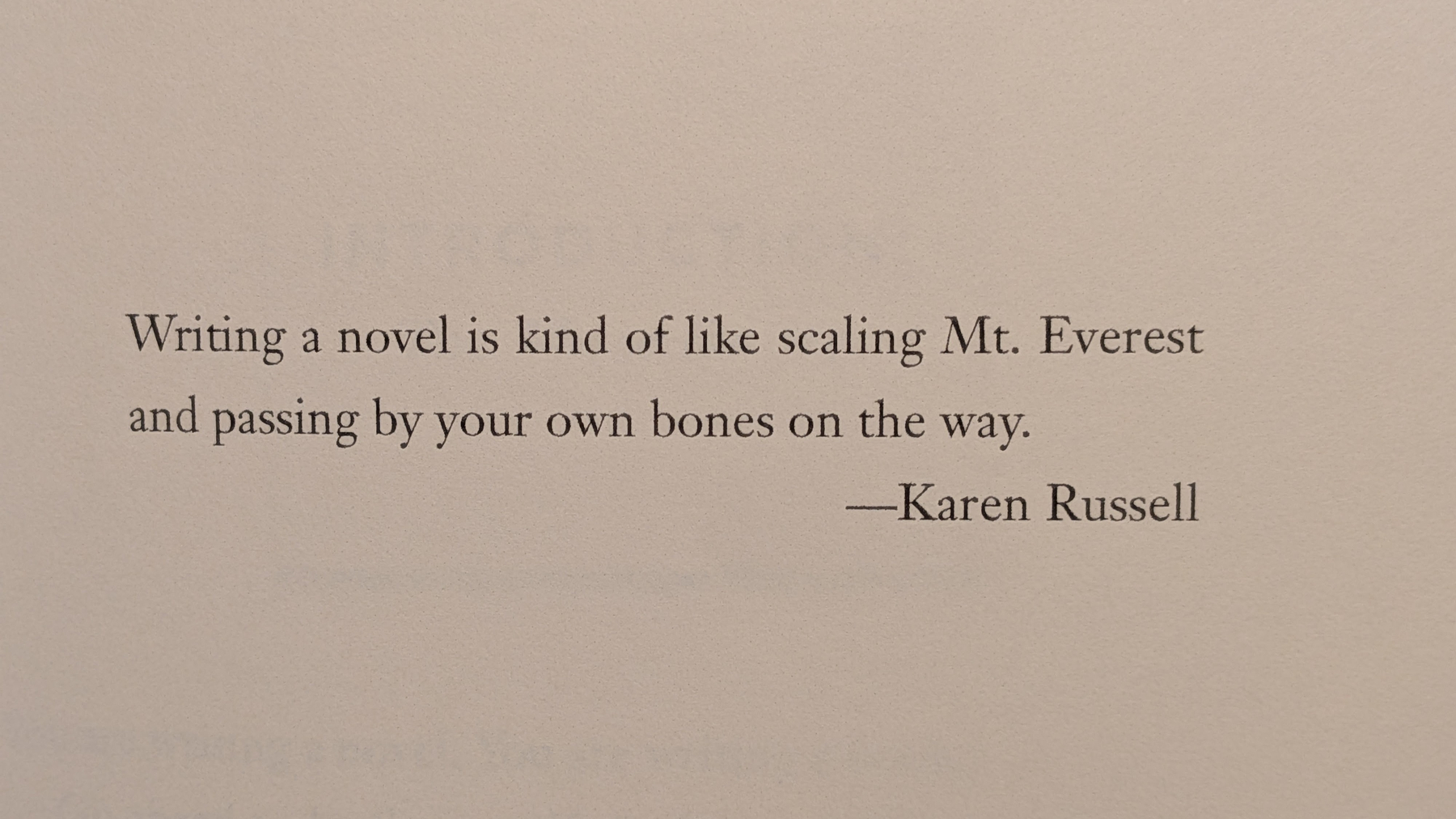
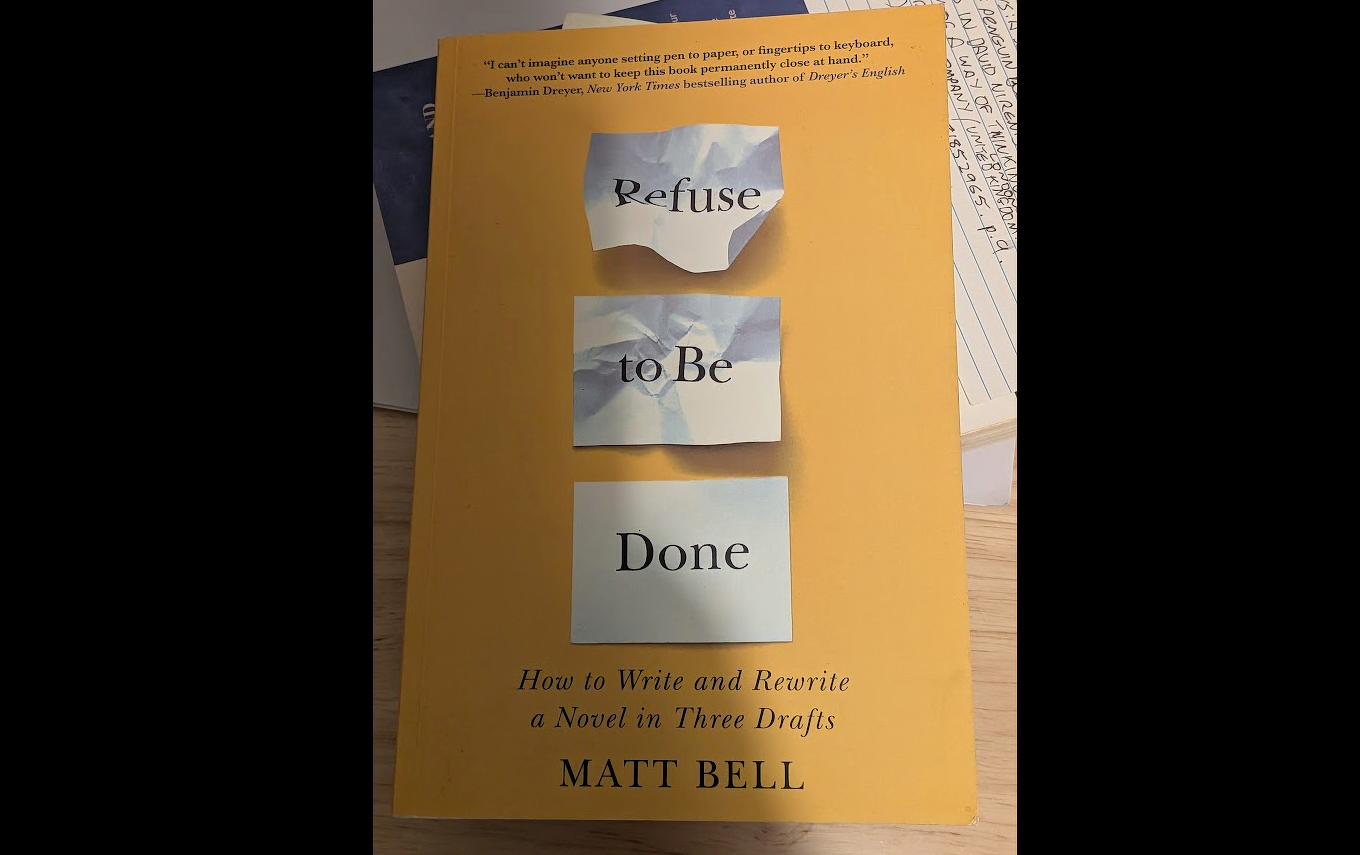
In Matt Bell’s excellent book on writing, Refuse to be Done, there’s a quote by Karen Russell, author of the excellent novels Swamplandia. and The Antidote. She says,
💬 “Writing a novel is kind of like scaling Mt. Everest and passing by your own bones on the way.”
Respect is due, but I can’t help feeling it might not be quite that hard.
#writing #climbing #writinglife
Built-in support for the ‘Web of Markdown’?
A Feature Request: Support for Static .md Outputs & Discovery
Motivation: A Simpler, Less Exploitative Web
I’ve been interested in a simpler, less exploitative web for a long time. It feels like the modern web is increasingly dominated by ads, intrusive surveillance, tracking scripts, and bloated layouts that mock our control over our own reading decisions.
I’ve explored simpler alternative networks like Gopher and the Gemini protocol to find a quieter reading experience. But separate protocols don’t fit smoothly into my existing publishing workflow. They require running parallel infrastructure, managing new server software, and creating extra publishing overhead.
At the same time, recent developments in AI have rapidly turned Markdown into the default lingua franca of the web. Micro.blog users already author their posts in native Markdown, as does everyone using a static site, so converting that source into HTML only to have tools and readers parse it back into text feels a bit redundant. Why not cut out the middleman and directly serve the original Markdown to anyone, human or software agent, who chooses to read it?
The Web of Markdown ‘movement’ (maybe that’s a bit premature) feels like a practical way forward. It allows us to achieve calm, distraction-free, text-first reading directly on the HTTP(S) web we already use, without abandoning open standards or adding friction to our existing publishing stack. TBH, I don’t really understand why this isn’t already possible. Maybe it’s because people really love their wonderful graphics and styling and JavaScript functionality and html served programmatically etc. etc. I do too, but not for everything. Some sites are just simple. For many, simple is boring and obsolete, and won’t achieve what’s required. But can’t we at least have an option to stay simple? The recent AI love affair with Markdown may be a moment of opportunity to correct this.
Summary
I would like to propose support for the Web of Markdown philosophy across Micro.blog sites—either as an official community plugin or ultimately as a native platform toggle under Design Settings.
As discussed across the web (e.g., Dave Winer’s Scripting News, Andrew Shell and his https://md.geekity.com, and scanners like IsItAgentReady), serving lightweight, unstyled Markdown alongside HTML makes sites instantly readable for distraction-free clients, RSS/Markdown aggregators, and AI agents. Because Micro.blog stores post content in Markdown natively and uses Hugo as its rendering engine, it’s well-positioned to move forward on this emerging standard.
I’m not suggesting this proposal would solve all problems, or even many problems. As a counterpoint, I should perhaps mention Joost de Valk’s EmDash CMS. EmDash takes an agent-native, JSON-structured approach under the hood rather than relying solely on flat text files, though it still supports Markdown for round-trip editing. But that addresses a slightly different use-case: managing a CMS backend. Whereas I see serving clean Markdown as handy because both humans and bots can read the published output without much difficulty.
Apologies in advance for using AI to come up with a draft project scope, since I’m keen but have no idea what I’m doing. Please let me know what you think (about the concept, that is, not my incompetence).
Technical Specifications & Compatibility Requirements (Click to expand)
1. Static Markdown File Generation
Every published post and standalone page should build an accompanying Markdown endpoint at a predictable path (e.g., /post-slug/index.md or /post-slug.md).
2. Discovery via <head> Link Tag
Inject a discovery tag into the HTML <head> on single posts and pages:
<link rel="alternate" type="text/markdown" href="https://example.com/post-slug/index.md" title="Markdown version">
3. SEO & Canonicalization
4. Root Level llms.txt (Optional Extension)
Generate /llms.txt at the root, listing recent posts pointing directly to their .md endpoints for streamlined indexing.
Implementation Scope & Roadmap
Some benefits for Micro.blog
What I'm writing in October 2026
The main purpose of my collection of notes, organised according to the Zettelkasten principle, is to help me complete writing projects, mainly small but sometimes large too.
I’m always jotting down thoughts and ideas to use in my ever-expanding blog empire. For example, for some time I’ve been making notes on ideas about data structures. Soon these notes will see the light of day as an article or two.
And I’m constantly working on larger projects which inch very slowly towards fruition. At the moment I’m working on a sequel of sorts to my book, Shu Ha Ri. The Japanese Way of Learning. And I’m also working on a memoir about a journey around Ireland with my father thirty years ago.
As I’ve written about, my writing process oscillates between notes and drafts, so really it’s quite hard to separate the Zettelkasten notes from the drafts. Together they constitute a miniature working environment in which I think and write. Having said that, my writing system does keep them separate. The drafts are on a one-way journey to publication of some sort, whereas the notes are modular and can be used again in different contexts.
My aim is to reconfigure networks of concepts to create new knowledge and insight.
One area where I feel there’s scope to do things differently is in my reading. At the moment I seem to be reading more material than I’m making notes on. This feels a bit like a wasted opportunity. I need to be more systematic with my process here. Perhaps I can slow down my reading pace to let my notemaking keep up. I’m not one of those people who frets if I haven’t made 300 notes about a single book. I’m content with a dozen (provided it’s the right dozen, of course). But there’s a couple of books with nothing at all noted. I must make a time to correct this.
Read more:
How to write an article from your notes.
Why not publish all your notes online?
I found a way to create order from my jumbled notes
Three worthwhile modes of note-making, and one not so worthwhile.
Apocaloptimism, is that even a word?
The AI Doc on Netflix, subtitled ‘How I became an Apocaloptimist’, was a little disappointing (Wikipedia). It mainly tried to showcase ‘both sides’ of the argument about AI heralding the end of civilisation. It was interesting to see how uncomfortable everyone seemed to be when addressing existential questions about AI’s future development. But I’m not convinced the main question is whether or not we should have children – even though the interviewer, Daniel Roher, seemed to think it was.
Along the way there was quite a bit of angst about computers making people redundant both materially and spiritually. I’ve written about how fear of AI is nothing new and how the concept of Promethean shame, where we feel embarassed not to be machines, has been around for quite some time. And for the record there’s no need to feel ashamed of being yourself, though the very idea does demonstrate a deep-seated, pre-existing cultural anxiety about human vulnerability.
Among the interviewees was at least one ’effective accelerationism’ cheerleader. To say the least it whiffed strongly of regulation for thee but not for me. And it all seemed very religious, but not in a good way. Also there’s the argument, implied at least, that if we don’t destroy the world quickly with data centres then the world will be destroyed.
Seems like it’s apocalypse if you do and apocalypse if you don’t. Maybe I’m just out of touch with how to make money these days.
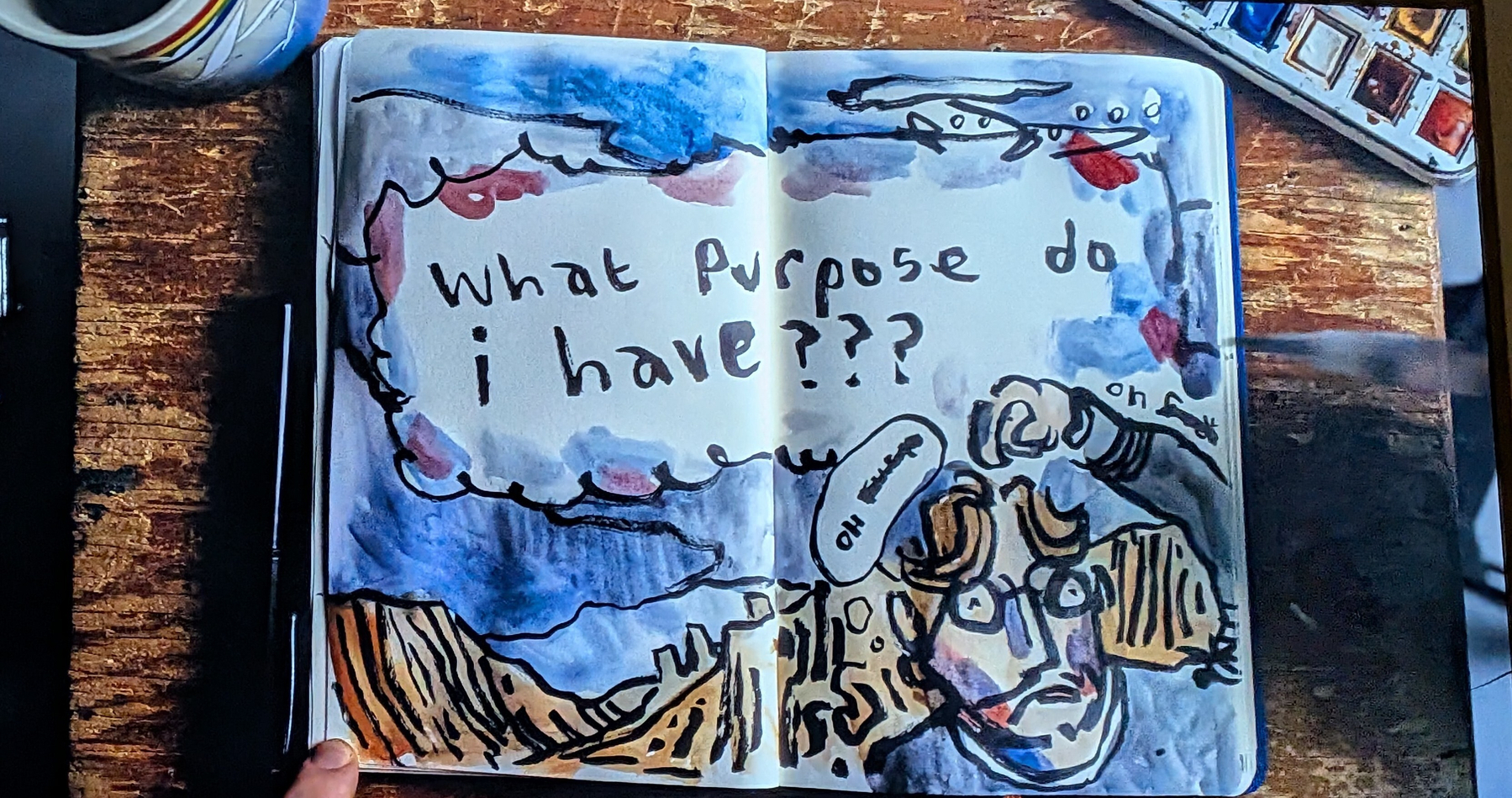
The graphics were good though, especially the hand painted notebook entries. But if you haven’t seen Daniel Roher’s previous documentary, Navalny, I suggest you watch it first.
That really is terrifying.
Now you can listen to Writing Slowly
As attentive readers of this website will know, I’m happily using micro.blog as the site’s hosting platform. Micro.blog has a surprisingly wide range of features and it comes with several associated mini-apps, which provide easy access to those features. One of the apps is called Wavelength, and it has just been updated. This has inspired me, finally, to actually make use of it.
Wavelength makes it easy to edit and publish voice recordings and now with Wavelength I’ve been recording my voice, reading aloud a number of the longer articles on this site. So if you navigate to one of these posts (nearly twenty of them so far) you might find there’s now a little ’listen’ button, which will enable you to hear me speaking my own written words.
Why bother doing this? Well, so far it’s been quite fun, and you might just enjoy the opportunity to hear the person behind the writing.
I feel these days it’s more important than ever to lean into our own humanity. Sure, you can get a better, more professional experience elsewhere, enabled no doubt by AI automation and by the mimicking of human experience rather than the real thing. But as I’ve pointed out before, my range is me.
There’s an increasing amount of slop online and this is one small way to show my words are handmade and originated from a real person.
I’m celebrating the human touch and trying to respect you, dear reader, as a real person too.1
You’ll be relieved to know that while I might still insist on writing slowly, I speak at a reasonable speed.
So do let me know what you think, and whether I sound like you imagined I would. And if you’d like to subscribe to the weekly e-mail digest, there’s never been a better time to do so.
Talking of which, now would also be a pretty good time to check out my book, Shu Ha RI. The Japanese Way of Learning, for Artists and Fighters.
Bookshops in Sydney. How's it going?
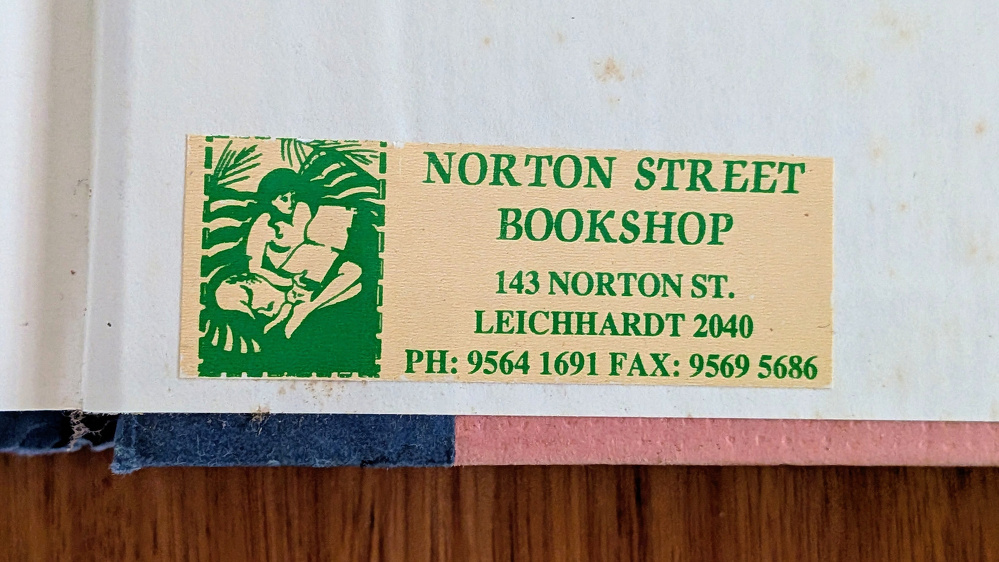
In the house by the ocean where we’re currently staying there’s a copy of Annie Dillard’s collection of essays, For the Time Being. In the inside back cover there’s a label from the store where it was purchased: Norton Street Books in Leichhardt, Sydney. That book shop has long since closed, so long ago that I’ve never personally heard anyone mention its existence. But then this year when Berkelouw Books, also on Norton Street in Leichhardt, announced they were shutting down I realised I’ve been living in Sydney for long enough now to have experienced the closure and opening of many bookstores over the years.
A good decade before COVID, around 2010 there was a period when it felt as though there was a real culling of Sydney bookshops. This was around the time Dymocks closed several of their CBD branch stores to focus on just their flagship store on George Street. Each closure felt like the end of an era. Cumulatively it was seriously worrying. And then the turmoil grew worse.
Faint praise for categories
Author and activist Rebecca Solnit isn’t too keen on the apparent eagerness to categorise.
“Categories too often become where thought goes to die. That is, there’s a widespread tendency to act as if once something has been categorized, no further consideration is required.” — A is for Airtight Categories
I’m not all that keen on the established categories myself. Not in my notes, anyway, and often not in my life. I’m not looking for categories. Instead, I’m usually looking for patterns.
I feel that placing an idea or concept in a category tends to close down further thought, like closing the lid on a box. In contrast, discovering a pattern tends to be just the start of consideration, of enquiry, of conversation, not the end of it.
Patterns invite a sense of wonder; categories tend to deny it. As Solnit said I her book Hope in the Dark, “the Moon is profound except when we land on it”.
Being quick to categorise can look like a neat short-cut to understanding, but it often doesn’t work out that way. Established categories can hide more than they reveal. Relying on them can be a way of fooling yourself into believing you know more than you do. One of the reasons I write slowly is to allow myself space and time to think through my ignorance — and to think things through by writing them down. Solnit says:
“We live in a time where people are more isolated then ever from the kind of private, personal engagement where you can wonder, doubt, improvise, or just admit you don’t know, and where many of us are instead more than ever in the para-public sphere of social media where you perform for an audience of casual acquaintances and strangers who may savage you if you get anything wrong or even seem weak or uncertain or uncommitted.”
Well, I feel being uncertain or uncommitted isn’t necessarily a sign of weakness, and writing slowly isn’t necessarily a sign of laziness. Look where certain, committed and fast has got us in recent times.
And admitting that you don’t know, far from being a sign of ignorance, is often a hallmark of expertise. That’s the paradox of mastery. It’s why the expert must remain a beginner.
One kind of category I do have time for is the category that no one has thought of yet. Creating new categories of thought is how the world is re-made. It’s curious that those who are the keenest on categories tend to be the least receptive to the idea that we just made them up.
“The stars we are given. The constellations we make. That is to say, stars exist in the cosmos, but constellations are the imaginary lines we draw between them, the readings we give the sky, the stories we tell.” ― Rebecca Solnit, Storming the Gates of Paradise: Landscapes for Politics.
Further reading: